

MBODY

Personalised Fashion Styling Application

MBODY

Personalised Fashion Styling Application

Duration

10 weeks

Tools

Figma, Photoshop, Vmake AI
My Role

UX / UI Design, Brand Design, Graphic Design

Constraints: 10-week timeline, no dev team involvement, prototype-only validation and limited AI simulation capability.

Constraints: 10-week timeline, no dev team involvement, prototype-only validation and limited AI simulation capability.

Constraints: 10-week timeline, no dev team involvement, prototype-only validation and limited AI simulation capability.

Project Overview

What is MBODY?

What is MBODY?

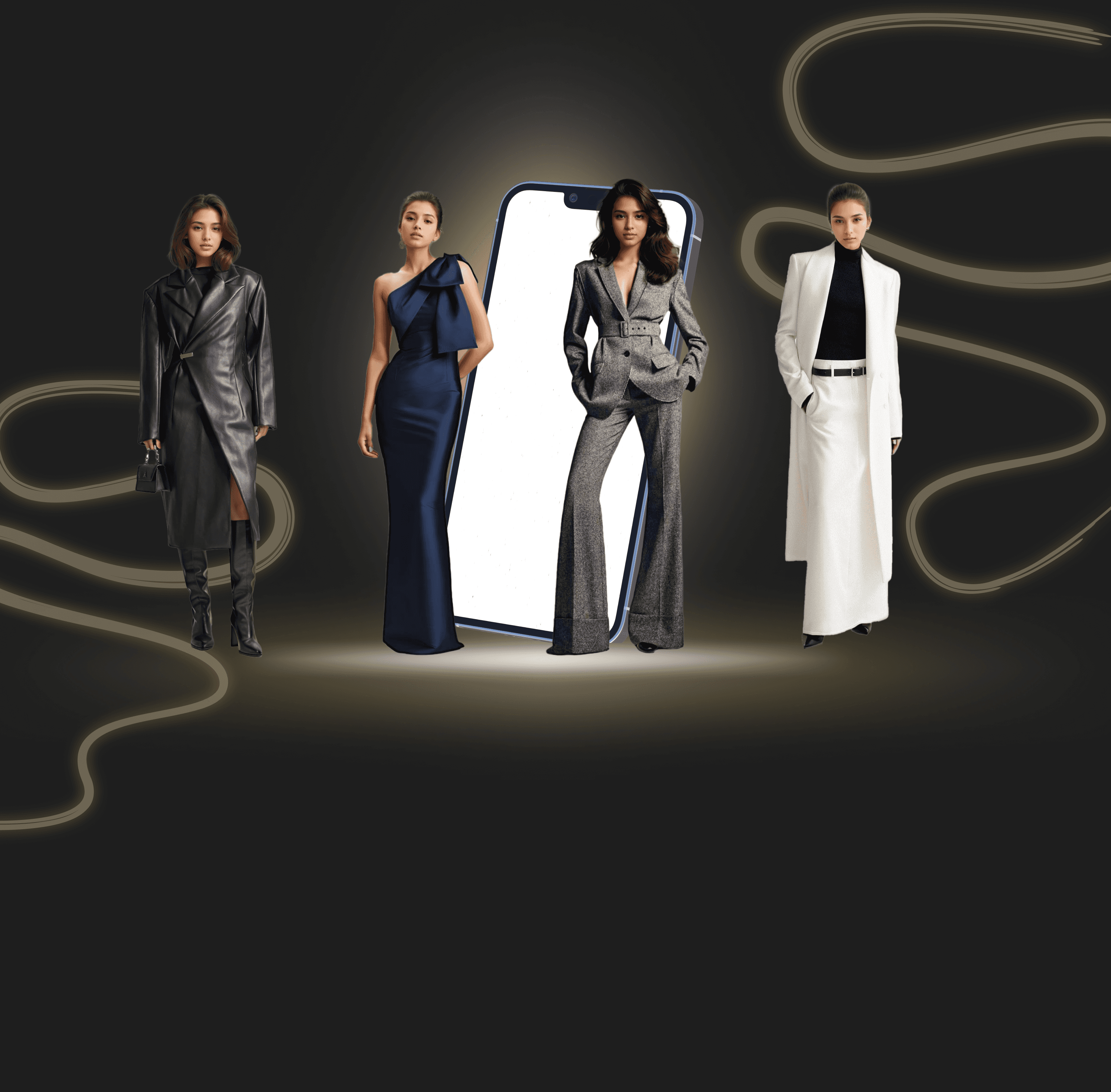
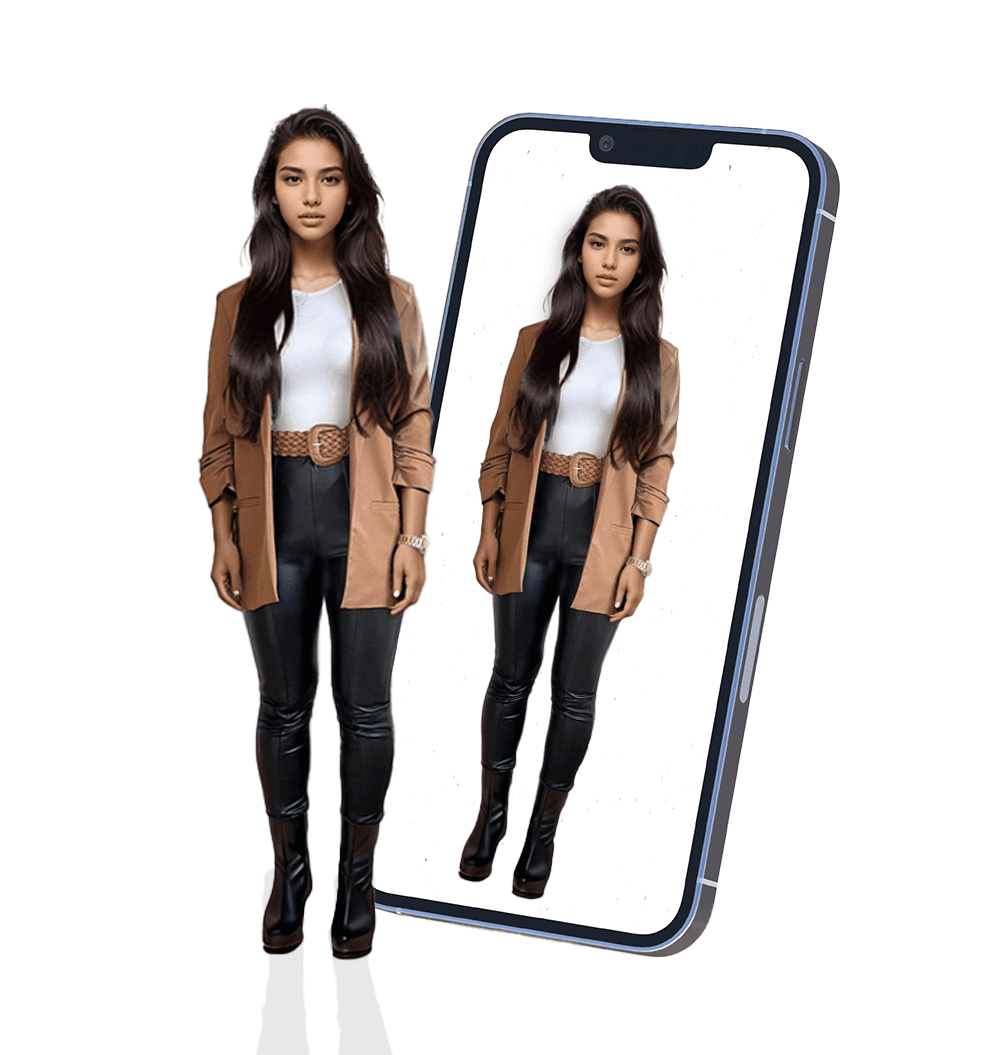
MBODY is a fashion-tech concept designed to reduce decision fatigue and increase wardrobe confidence for time-poor professionals.

MBODY is a new application that helps individuals create their aspiring personal style, tailored to their goals, preferences and demographics.

Technology Included:

Technology Included:

AI

AI

AI technology to generate outfit styles

AI technology to generate outfit styles

AR

AR

AR technology to form a 3D digital mannequin representation of the user

AR technology to form a 3D digital mannequin representation of the user

Design Process

Discover

Research, Assumptions, Interviews & Affinity Map
Define

Persona, Experience Map & Task Flows

Develop

Sketches, Wireframes, Branding & UI Library
Deliver

High-Fidelity Prototype & Marketing Website

Discover

Problem Space

Many individuals of all ages and genders aspire to create a distinct identity through a personalised fashion style that mirrors their demographic and preferences. However, these individuals face obstacles to achieving this aspiration due to the cost of employing a professional stylist.

Research Objective

The research objective is to explore our topic of Personal Styling and discover the current impacts of target users involved in the problem space. Research includes both quantitative and qualitative research, summarizing these findings from primary and secondary sources.

Research Objective

The research objective is to explore our topic of Personal Styling and discover the current impacts of target users involved in the problem space. Research includes both quantitative and qualitative research, summarizing these findings from primary and secondary sources.

Research Findings

Overview

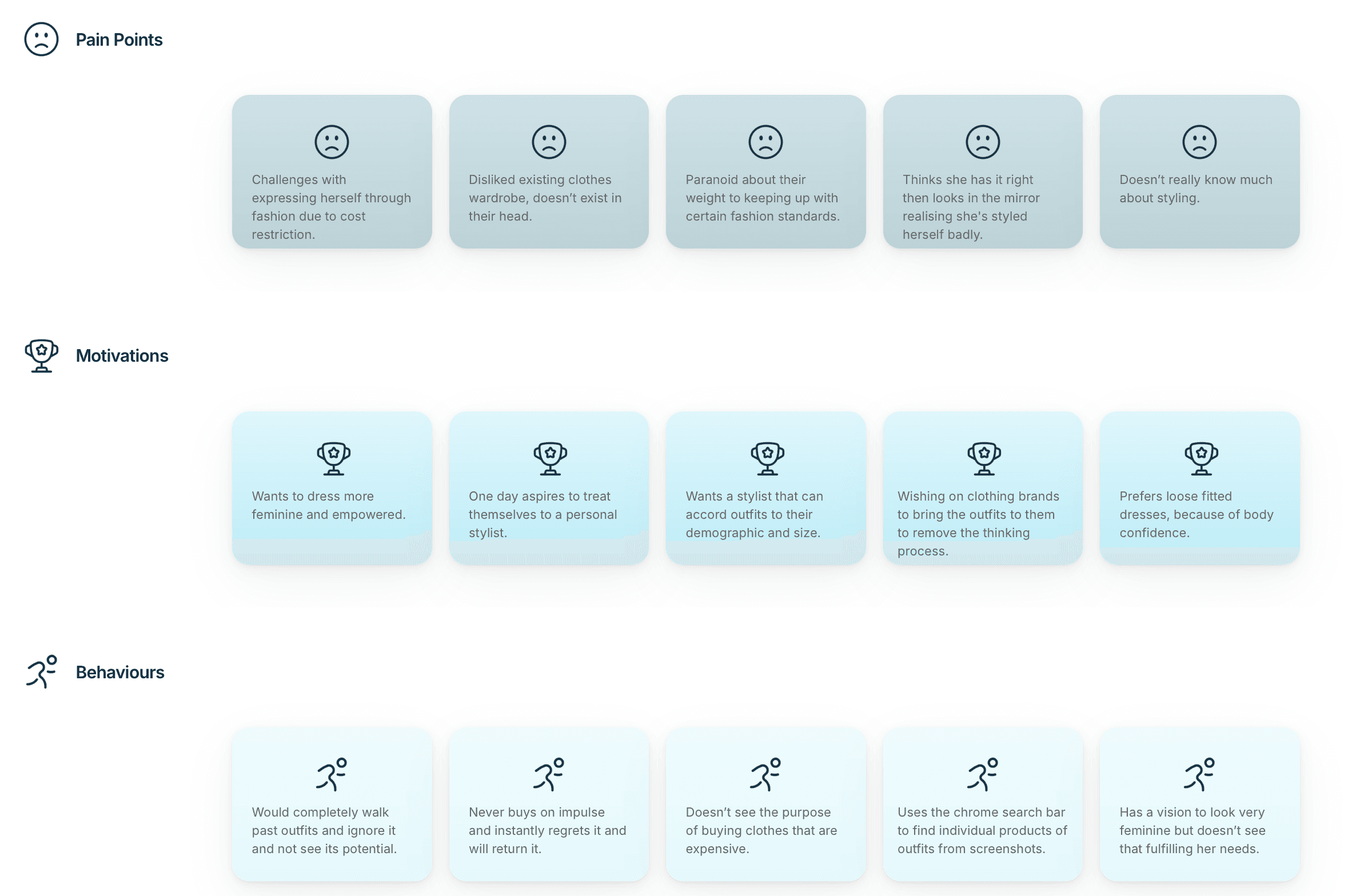
  • 45% of interview participants reported low confidence when assembling outfits.

  • Users described impulse purchases driven by discount triggers.

  • Styling decisions were based on colour matching rather than structured outfit logic.

Design Opportunity
Enable structured outfit generation based on body shape, demographic filters and style intent.

Enable structured outfit generation based on body shape, demographic filters and style intent.

How Might We

enable personalised fashion styling to be accessible and affordable for individuals aiming to confidently express their unique identity through a fashion style that truly reflects who they are?
Define

Persona

Upon completing the research and interviews, I created a persona to gain a deeper understanding of my target users by identifying their needs and key motivations/goals, frustrations, and behaviours of this user group.

Primary User Insight

Interviews revealed mid-life professionals lack confidence translating aspirational fashion inspiration into practical wardrobe decisions due to time and financial constraints.

Task Flow Goals

Primary Task Flow

Profile Set Up

Creating an account. Including steps to identify user's measurements, demographic and style goals.

Secondary Task Flow

Filtering Content

User is able to explore home and search pages, in order to find/save outfits to the new wardrobe collection.

Secondary Task Flow

Wardrobe Creation

Enabling a smooth navigation to users' digital wardrobe, create a collection within this page and add outfits to this folder.

Develop

Sketches

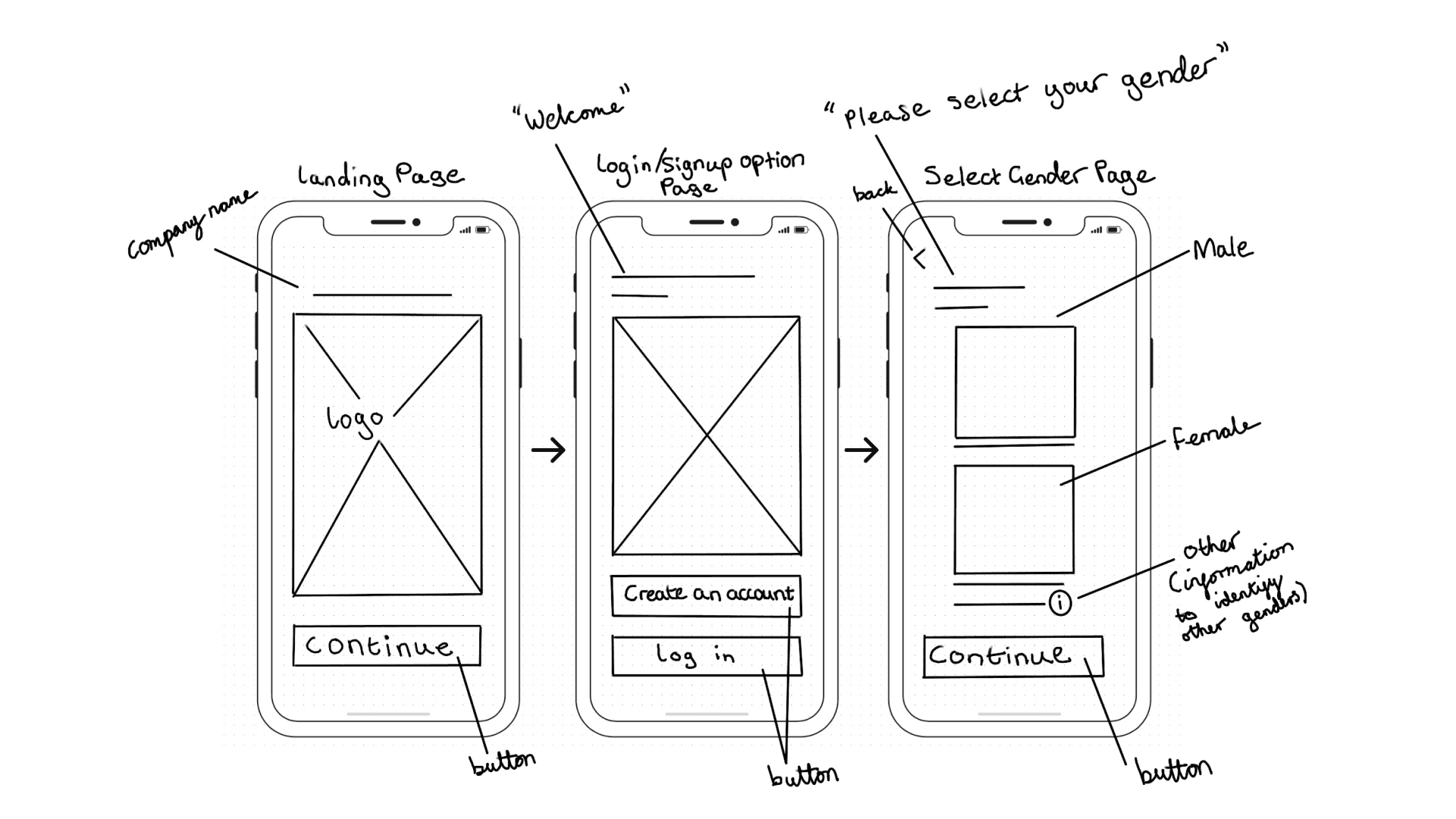
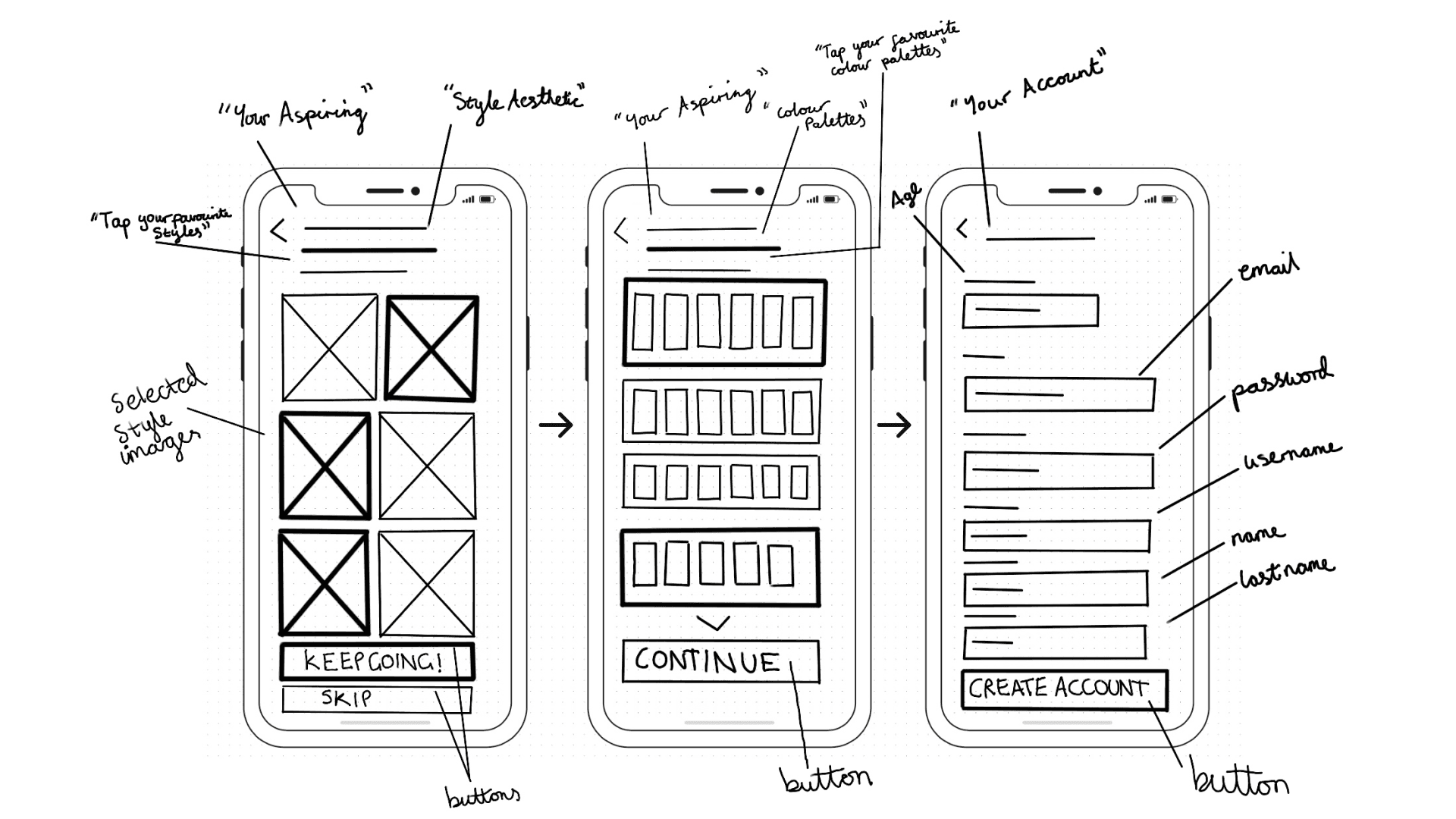
Task 1 - Profile

Splash screen and to begin creating an account and identifying the users gender.
Task 2 - Scan

Within the scanning task, the user will need to create a representation of themselves to form a digital mannequin completed through a body scan.

Task 3 - Style Goals

User will be asked to completed a series of questions to identify their specific style goals and aethetics.
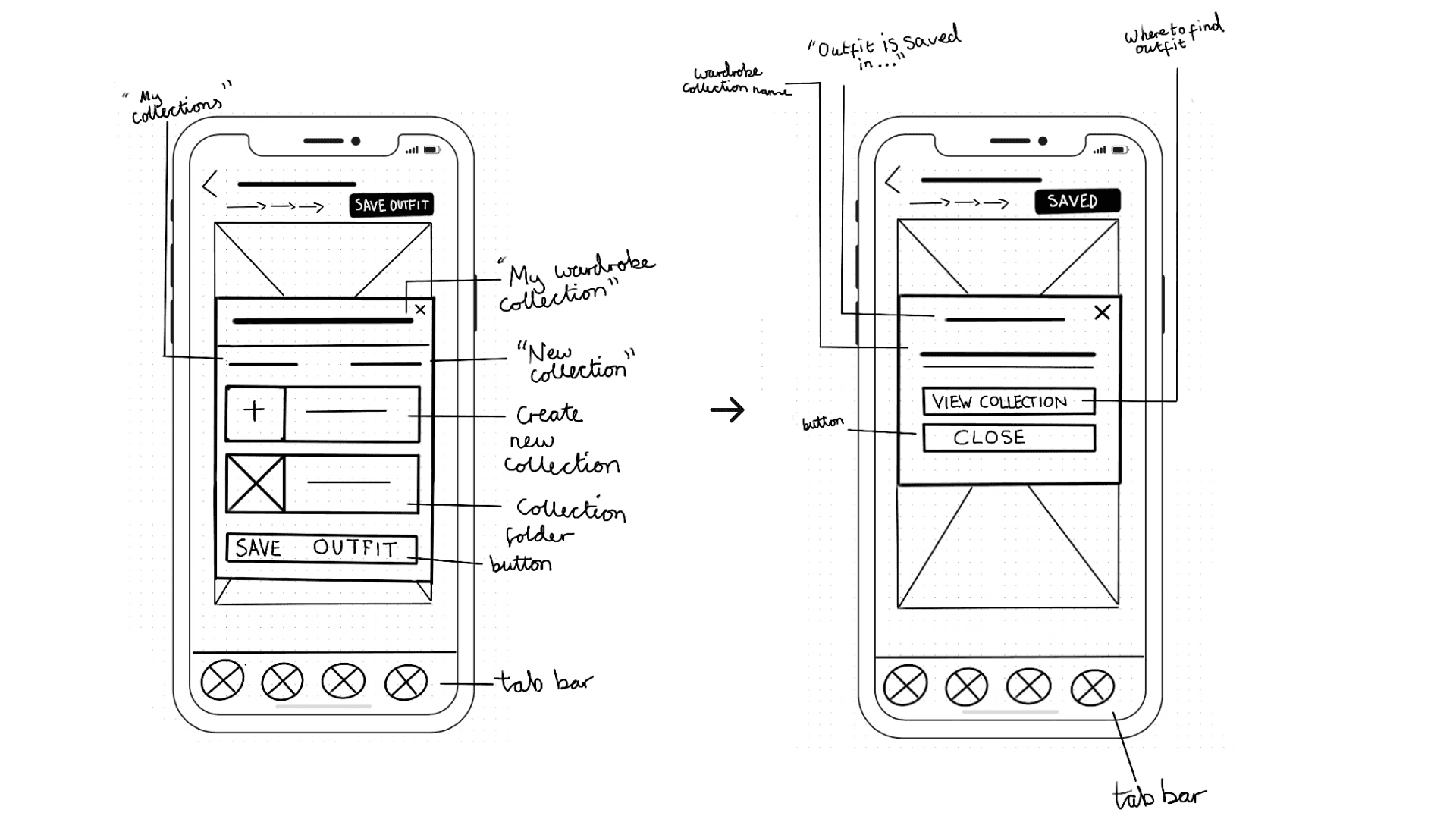
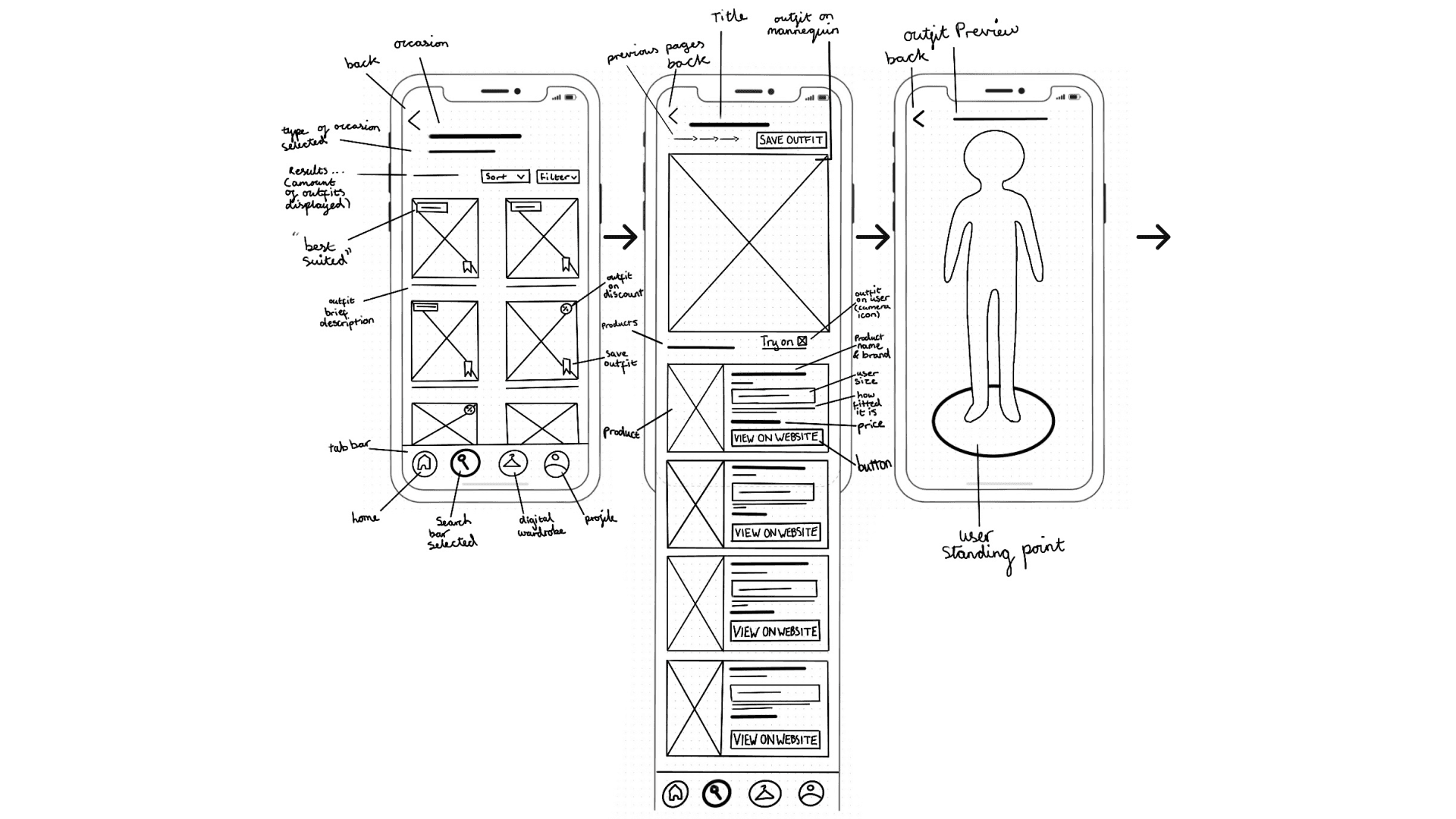
Task 4 - Saving an Outfit

Once the user has completed setting up their profile, the app will be able to generate specific outfits tailored to their preferences and demographics. Within this task, the user can choose outfits by searching or upon featured suggestions and can save this outfit to their personalised digital wardrobe with the ability to add and save to this collection as well as purchase the items of an outfit.

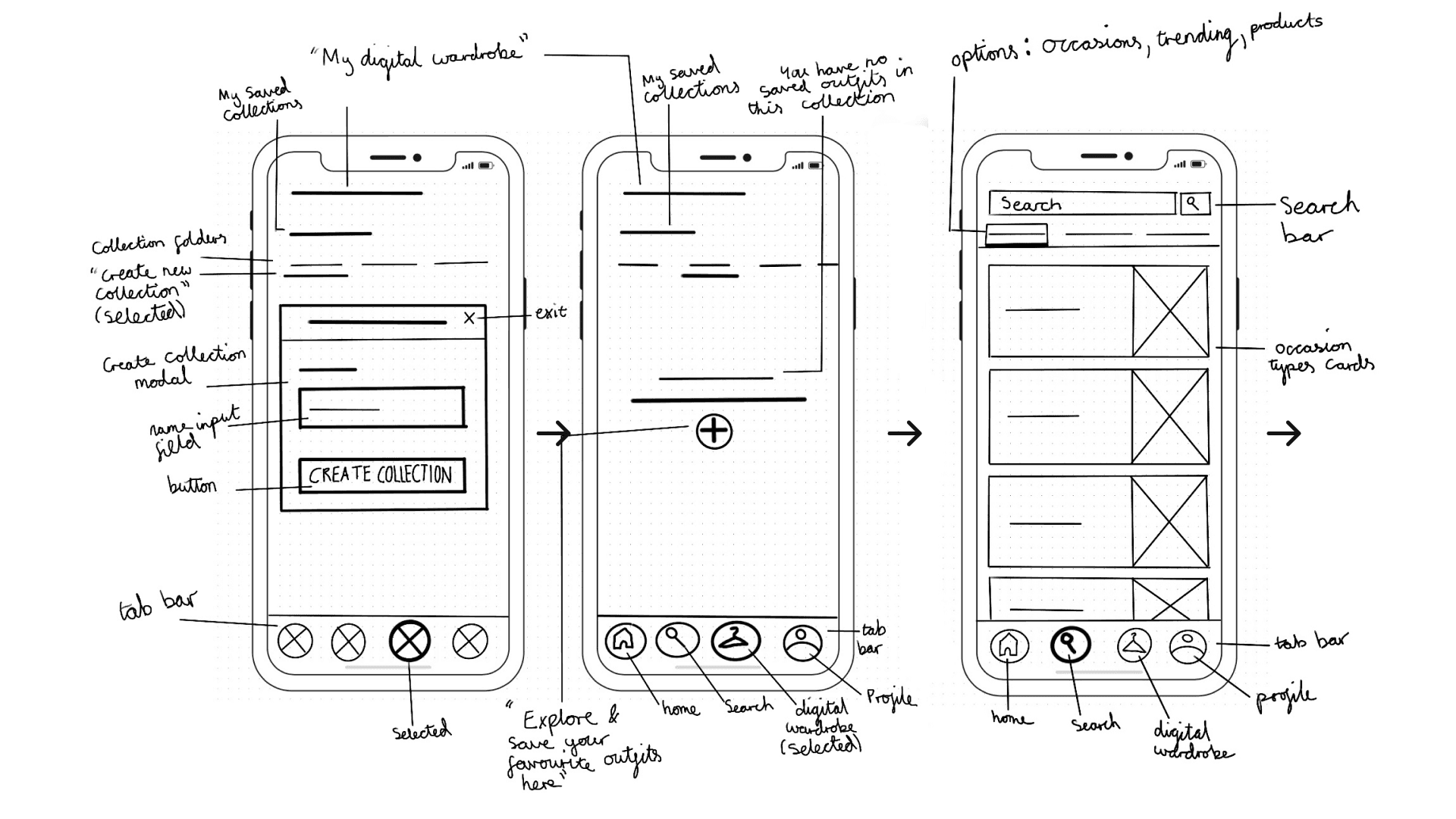
Task 5 - Wardrobe Collection

Following the previous task, user will be able to create another wardrobe collection as another method to save outfits in an organised way.
Wireframes

Wireframes

Initial Greyscale Wireframe

Initial Greyscale Wireframe

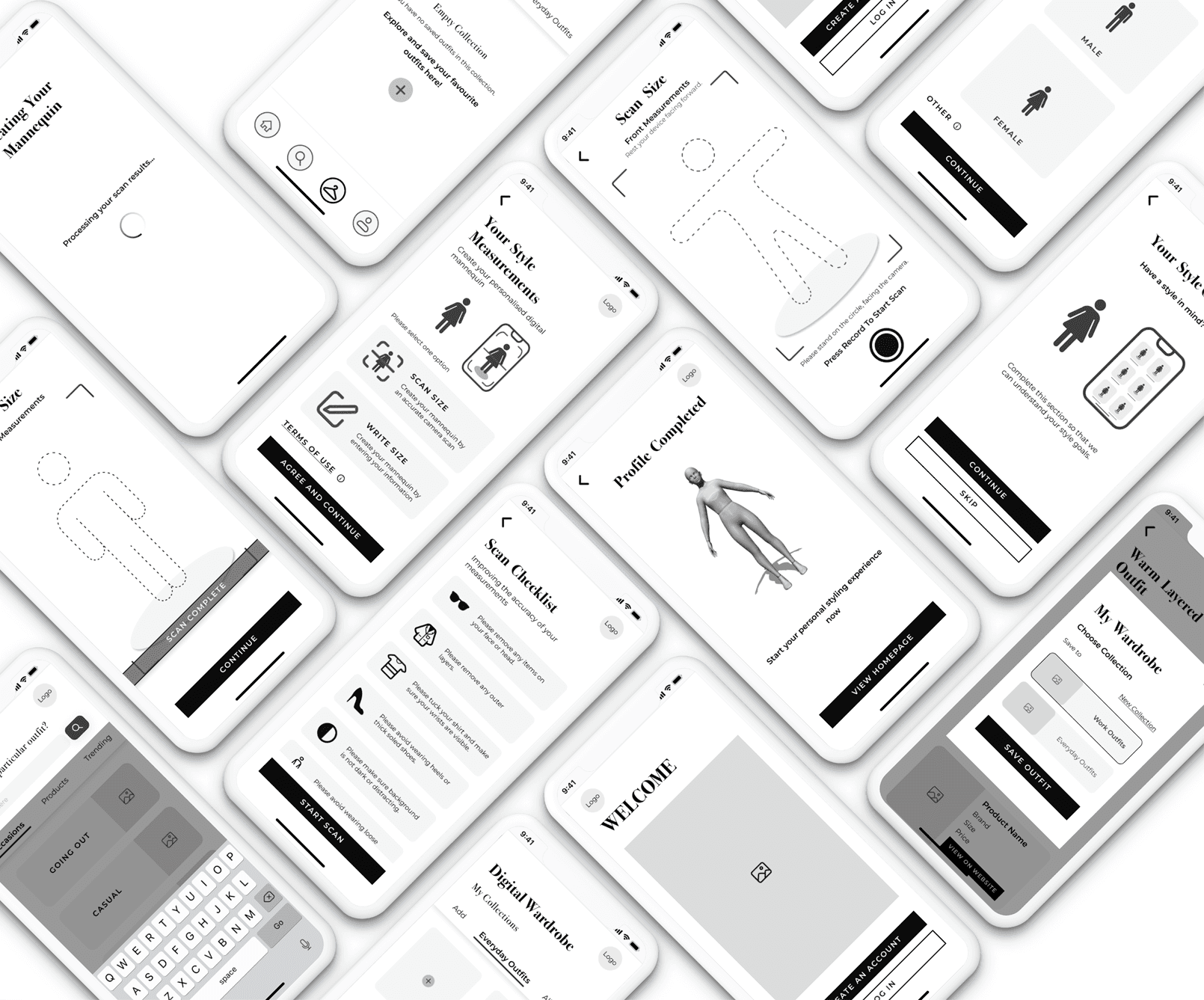
Translating solution sketches into initial greyscale wireframes.

Revised Prototype

Revised Prototype

Iteration findings

  • Users hesitated during body scan onboarding.

  • 3/5 users misunderstood wardrobe saving flow.

Changes made

  • Reduced onboarding steps from 6 to 4.

  • Merged save and purchase CTA heirarchy.
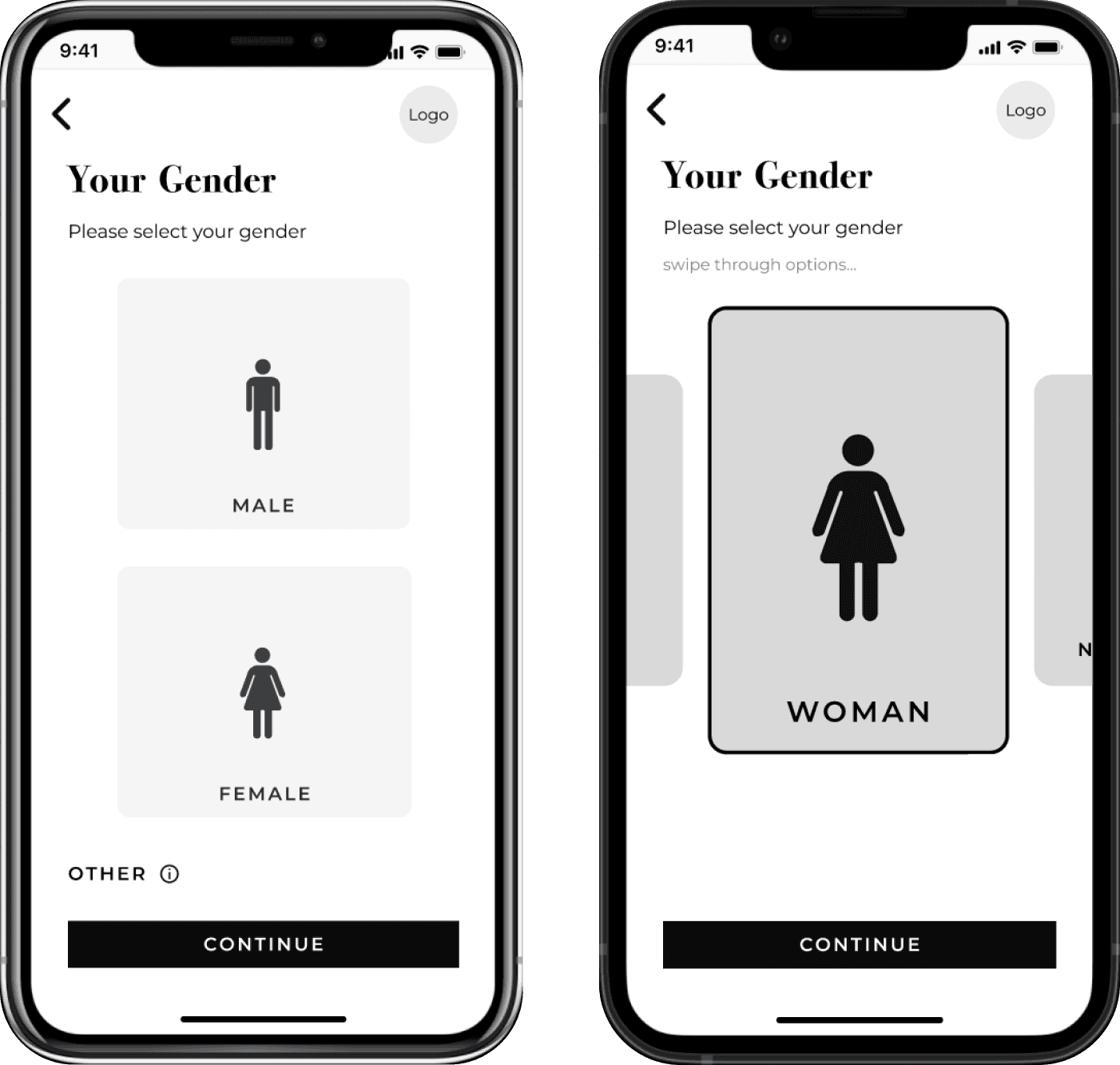
Identity / Gender

Identity / Gender

In comparison to the initial wireframe, the revised design is more inclusive for users to choose the gender they identify with.

In comparison to the initial wireframe, the revised design is more inclusive for users to choose the gender they identify with.

Scan Checklist

Scan Checklist

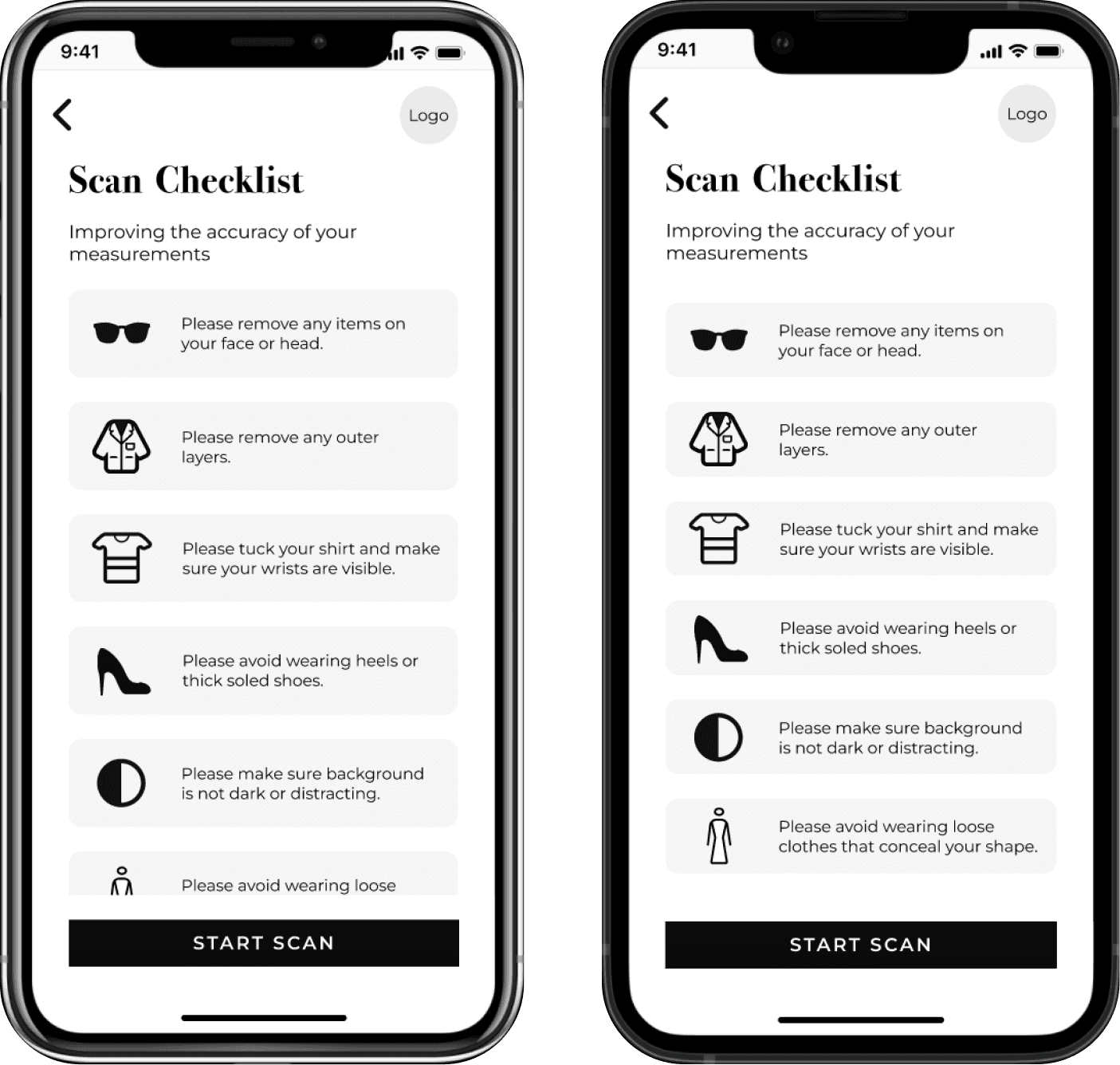
For the aesthetic appeal of the design, the checklist is iterated to be fixed on the screen instead of being scrollable.

For the aesthetic appeal of the design, the checklist is iterated to be fixed on the screen instead of being scrollable.

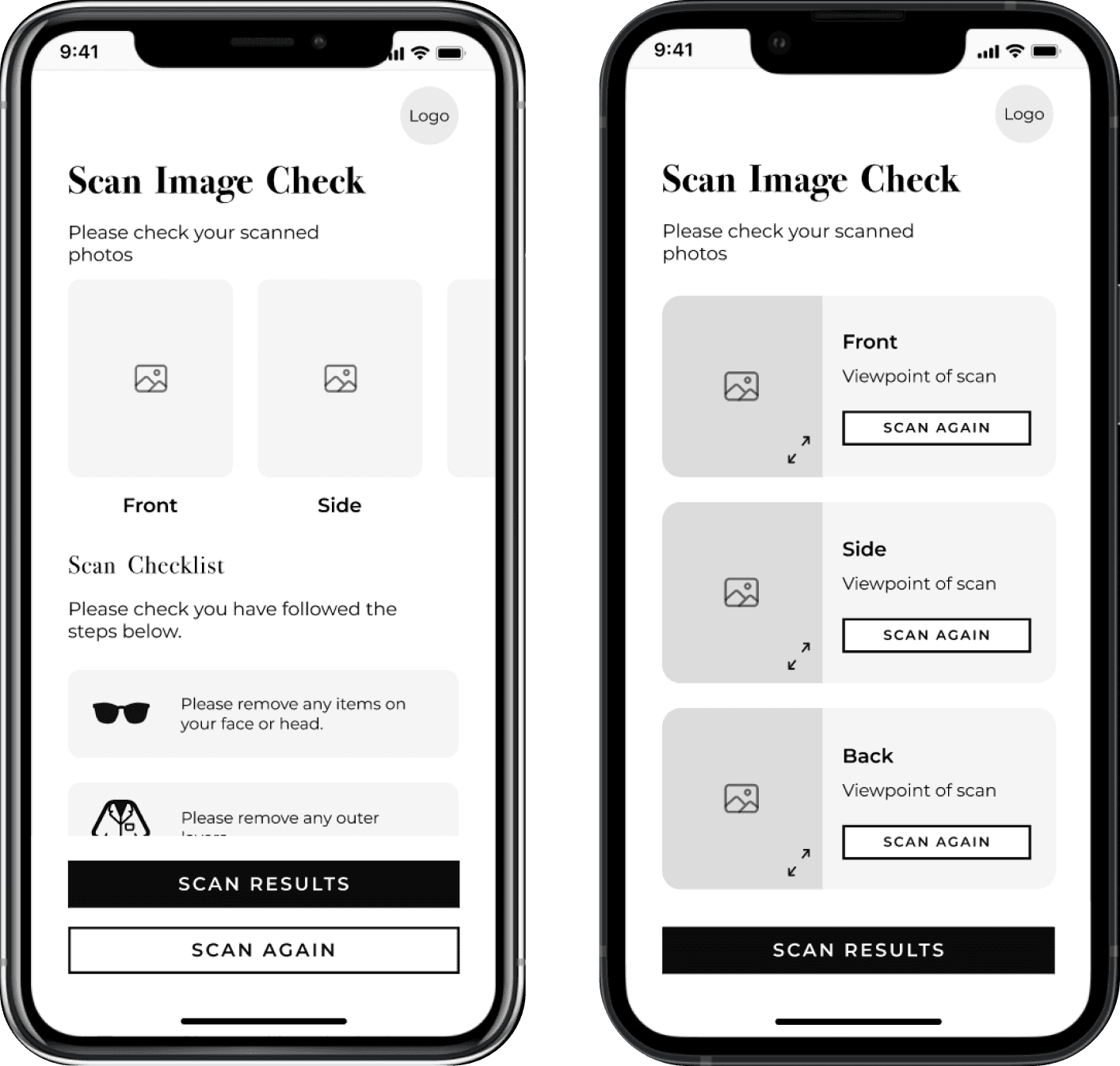
Scan Image Check

Scan Image Check

Testers were already familiar with the scan checklist instructions, this was removed in the revised prototype. The revised prototype has the option to rescan specific viewpoints and enlarge scan images.

Testers were already familiar with the scan checklist instructions, this was removed in the revised prototype. The revised prototype has the option to rescan specific viewpoints and enlarge scan images.

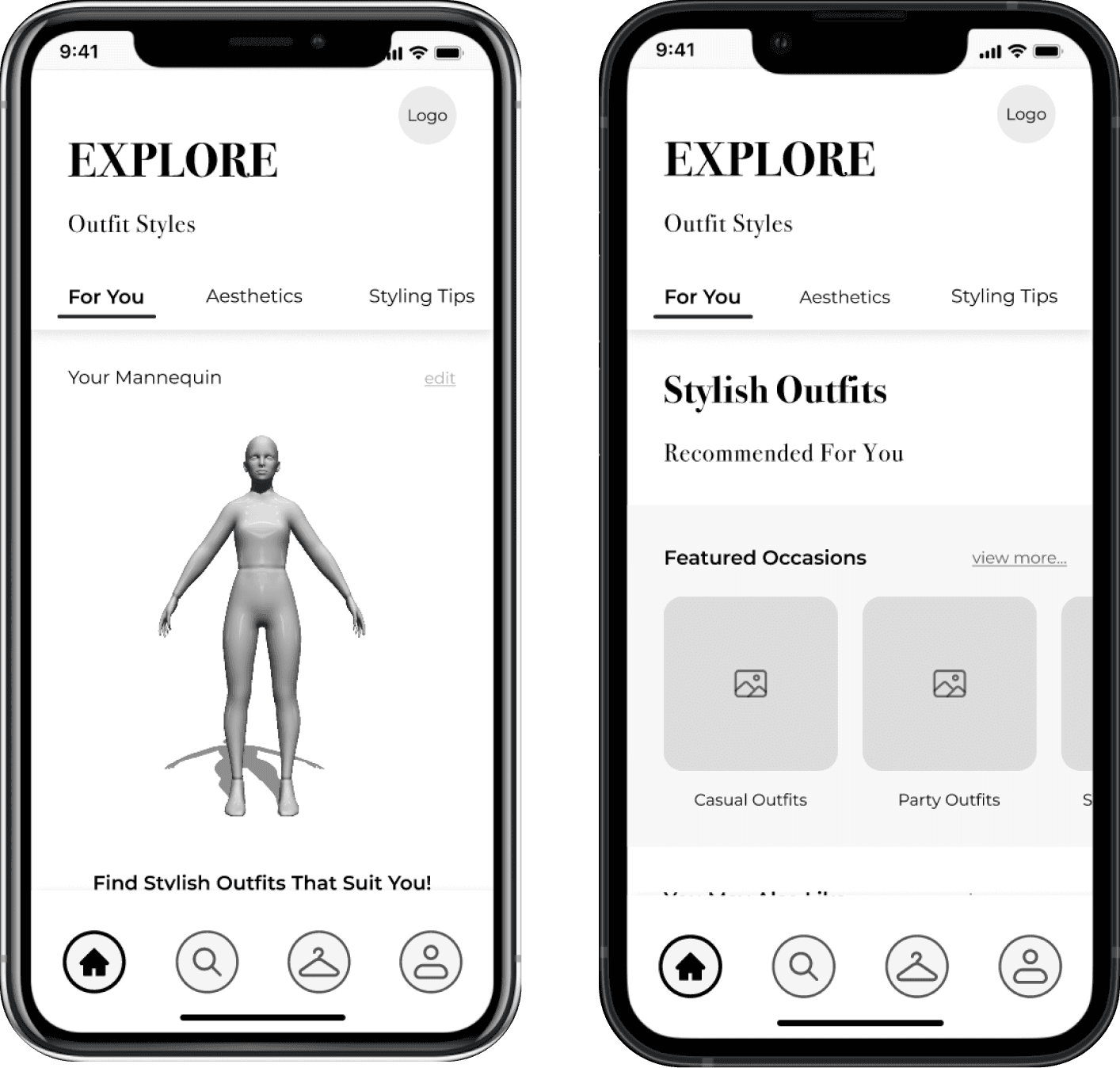
Home

Home

Mannequin was removed of the home page and placed in the profile page where the user can edit other personal information, the home page has become more personalised to the user e.g. featured outfits …

Mannequin was removed of the home page and placed in the profile page where the user can edit other personal information, the home page has become more personalised to the user e.g. featured outfits …

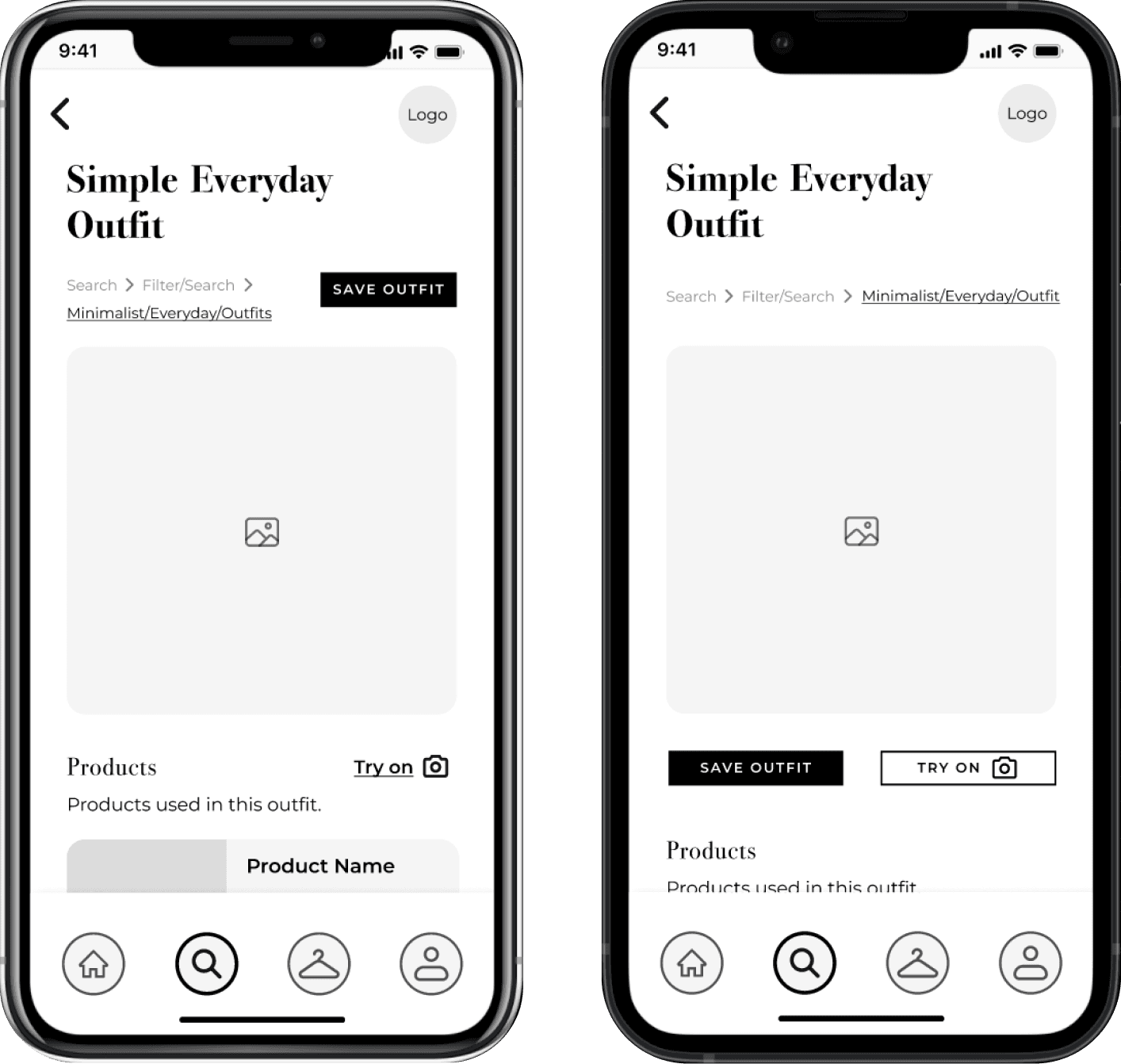
Outfit Details

Outfit Details

"Save Outfit" and "Try On" buttons are aligned and visually consistant.

"Save Outfit" and "Try On" buttons are aligned and visually consistant.

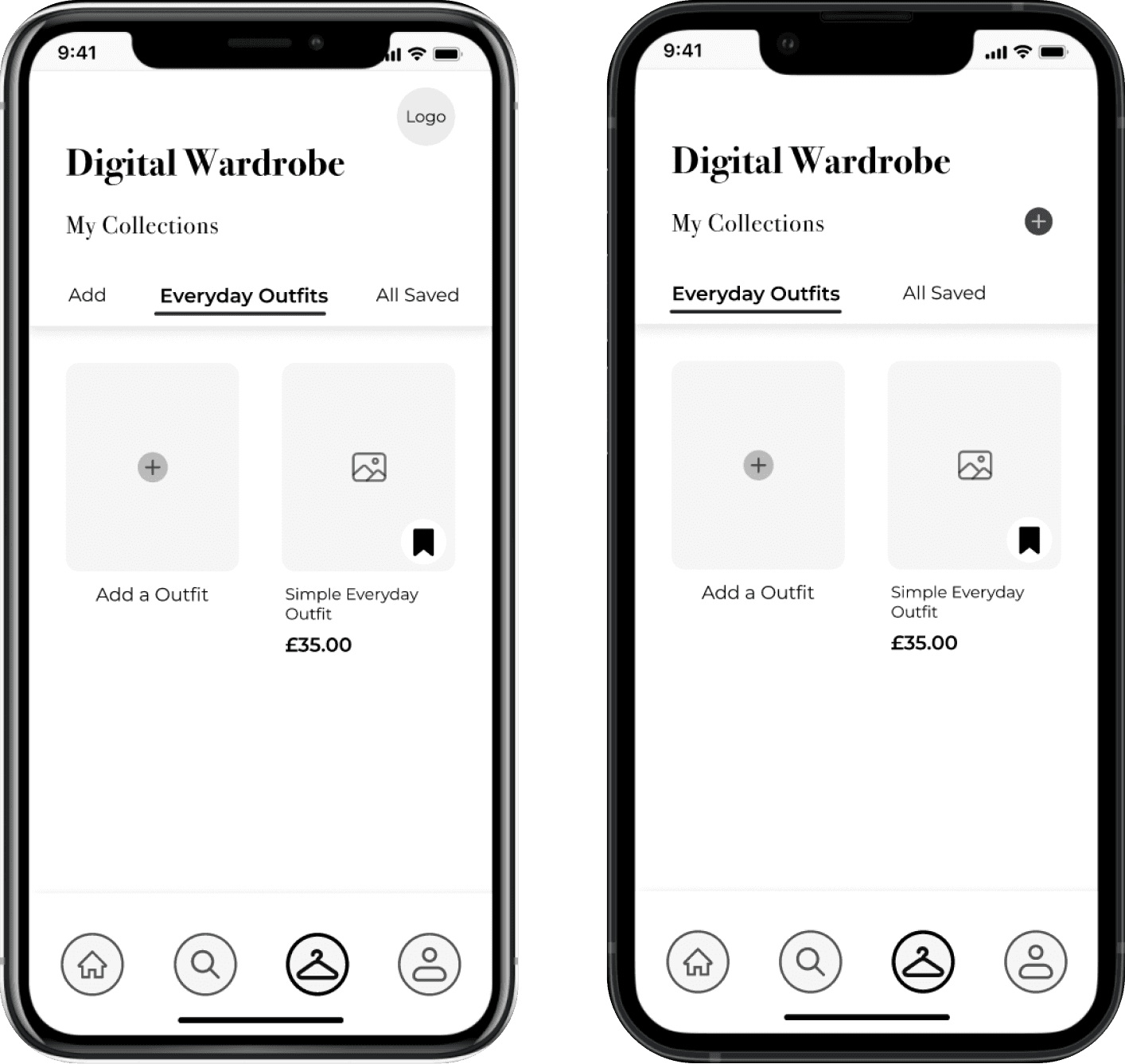
Digital Wardrobe

Digital Wardrobe

The "add" tab bar option is removed and replaced with an icon aligned with my collections, which is clearer for users. Additionally, the logo was removed.

The "add" tab bar option is removed and replaced with an icon aligned with my collections, which is clearer for users. Additionally, the logo was removed.

UI Library

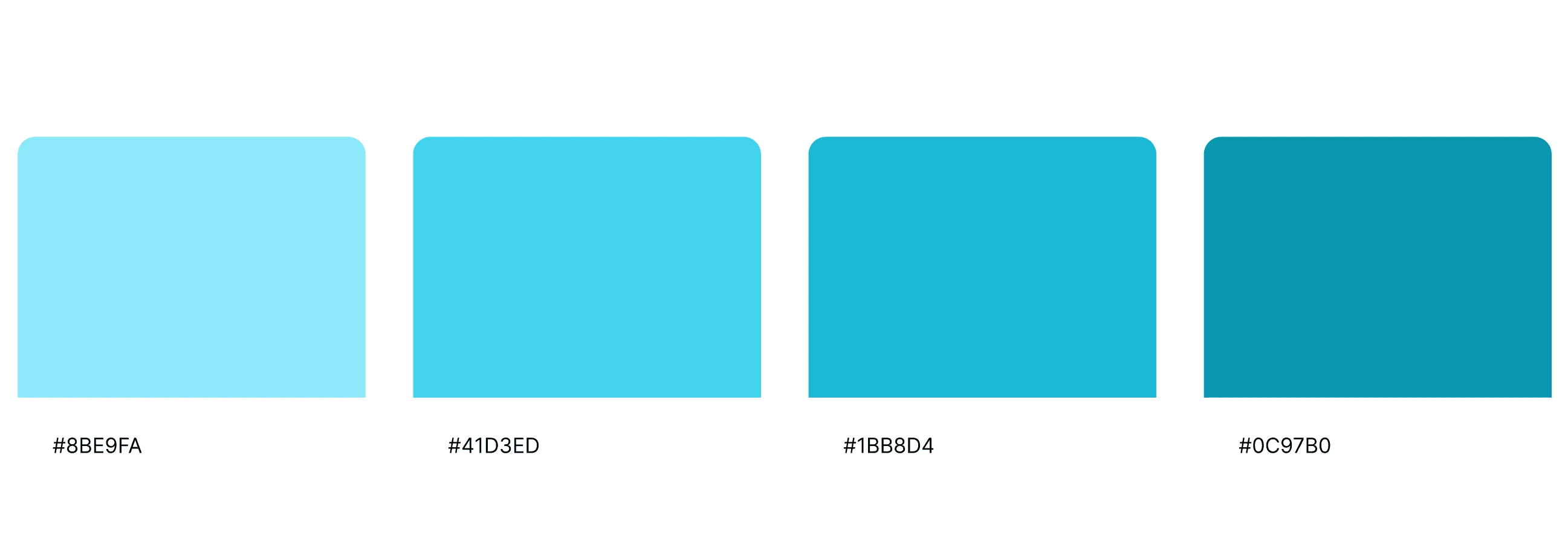
Primary

Colours

Secondary

Colours

App Icon

App Icon

App Icon

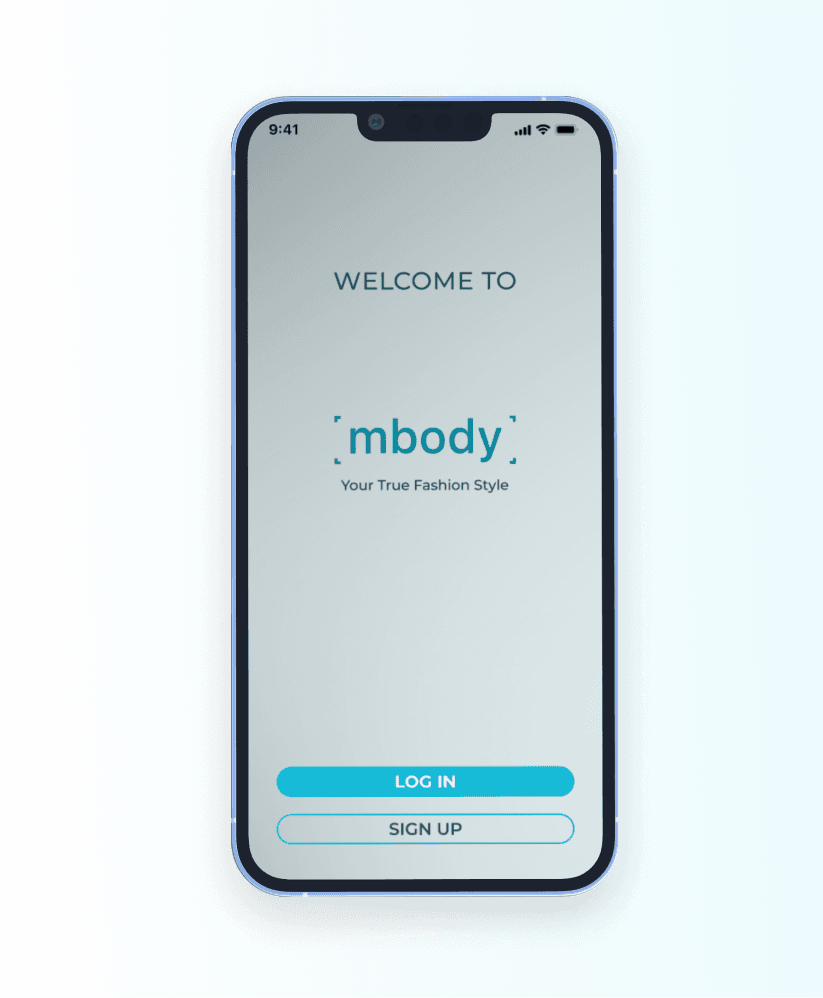
The logo features the colour aesthetic of the app, reflecting the scanning and mannequin in connection to the word-mark design.

Wordmark

= scan

= scan

= stands for mannequin

= stands for mannequin

= read as embody

= read as embody

Deliver

App Interface

Personalised & Simple Sign Up Process

Personalised & Simple Sign Up Process

Personalised & Simple Sign Up Process

Save Time With Scan Size

Save Time With Scan Size

Save Time With Scan Size

Create Your Own Personal Digital Mannequin

Create Your Own Personal Digital Mannequin

Create Your Own Personal Digital Mannequin

Helping You Achieve Your Style Goals

Helping You Achieve Your Style Goals

Helping You Achieve Your Style Goals

Try Before You Buy

Try Before You Buy

Try Before You Buy

Outcome

  • Delivered high-fidelity prototype tested with 5 participants.

  • Reduced onboarding confusion by simplifying scan process.

  • Created scalable UI system adaptable to future styling modules.

Next steps

  • Validate AI recommendation accuracy with real worldwide data.

  • Test conversation impact of "Try Before You Buy" feature.

Thanks for viewing